Let's connect
All work

01 · Work · Jarvis

Jarvis.

Jarvis is my fork of Bare Hands, Jared Rhodenizer's open-source glass board: a webcam watches your hands, and notes and 3D models float over the camera feed as glass cards you pinch, throw and stretch. That board, its gestures and its 3D views are his work.

What I built on top turns it into a personal desk tool. It locks to its owner's face, drives the real system cursor, shows live windows from every workspace, and opens files read-only. It runs on a webcam, Chrome and standard-library Python.

Role
Builder
Team
Solo, on an open base
Status
Prototype
Stack
  • Python
  • MediaPipe
  • three.js
  • Chrome
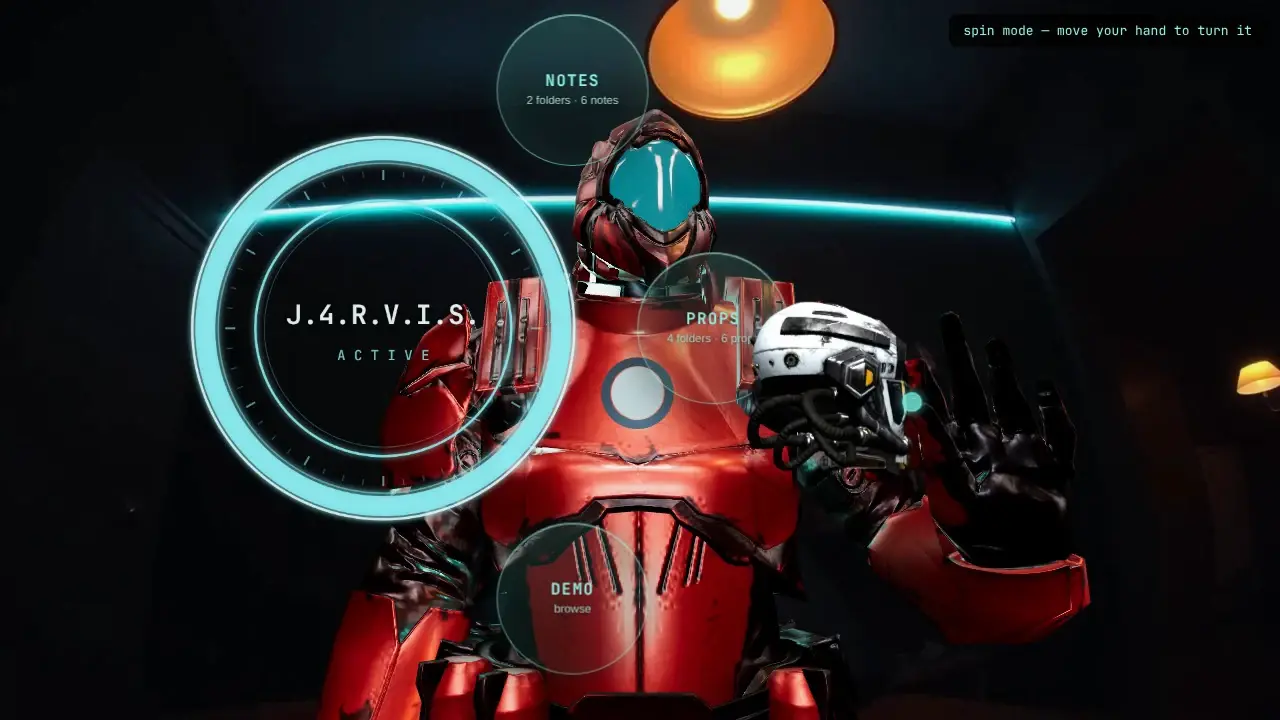
FIG. 02 · The walkthrough, 48 seconds, with sound. An animated character in an armoured suit stands in for me on camera; the board and its gestures are the real app
The real Jarvis board over a camera feed of a dim room: the J4RVIS ring with its Notes, Props and Demo orbs open, and an animated stand-in in a red armoured suit holding a 3D helmet between finger and thumb, with the board's own spin mode prompt in the corner.
FIG. 03 · Spin mode: the helmet turns with the hand that holds it. Suit rendered, board real

Esc or click to close

92
commits in three days
64
automated tests
10.7k
lines added to the base

02 · Story

Why it exists.

  1. Why I built it

    Hands instead of controllers.

    I wanted to move notes, images and 3D models around with my hands, with no headset and no controllers, using the webcam I already had.

Who stays in controlEverything stays on localhost, the pointer starts disarmed, and only the owner's hand can drive it.

03 · How it works

How it works.

  • Locks to its owner

    The first face alone in frame for about three seconds is enrolled. Step away and the board frosts and locks; a stranger's hands do nothing until you approve them with a pinch or a thumbs-up.

  • Click-through overlay

    The glass covers the whole display but passes every click straight through, so your hands can drive the real system pointer over whatever is underneath.

  • Drive your desktop

    Point and hold to arm, and your fingertip moves and clicks the real cursor. It always starts disarmed, a fist or Esc lets go, and only the owner's hand can drive it.

  • Live desks

    A Desks orb shows the windows on every workspace as glass cards, and every command it sends to the window manager goes through an allowlist.

04 · Features

What it does.

  • Read-only file browser

    PDFs, code and images open as cards, from folders you choose and nowhere else.

  • Pictures in relief

    Any image can be lifted into a 3D relief on the board.

  • Steady in a dim room

    A light governor and a camera check keep hand tracking working when the light is poor.

  • Hands that stay yours

    Smoothed tracking keeps each hand's identity from frame to frame, and recovers a second hand the tracker briefly loses.

  • Tunable and replayable

    Every gesture threshold lives in one file that reloads live, and a gesture tape replays a session to test a change.

  • A locked-down local server

    The localhost server rejects DNS-rebinding and cross-site requests, so a web page cannot drive the board.

05 · Scenarios

Where it's used.

  1. At the desk

    A mouse without the mouse.

    Point to arm, move and click with a fingertip, and make a fist to let go.

  2. Many workspaces

    Everything in one view.

    Windows on hidden workspaces show up live on one glass board.

  3. Stepping away

    Nobody else can use it.

    The board frosts and locks, and a stranger's hands do nothing until you let them in.

Let's connect.

I am not looking for work. I am looking for good people to know.

Index

  1. 1Home
  2. 2Work
  3. 3Security
  4. 4About