Let's connect
All work

01 · Work · hackypi

hackypi.

hackypi is a small USB device I turned into a governed test platform for authorized . It presents to the host as a keyboard, and does nothing unless it is armed for one booked engagement, scoped to one target, with the operator approving each step.

It ships disarmed: by default it only shows status on its screen and sends no keystrokes at all. A mistake in its settings drops it straight back to disarmed.

Role
Security tooling
Team
Solo
Stack
  • CircuitPython
  • RP2040
  • USB HID
  • microSD
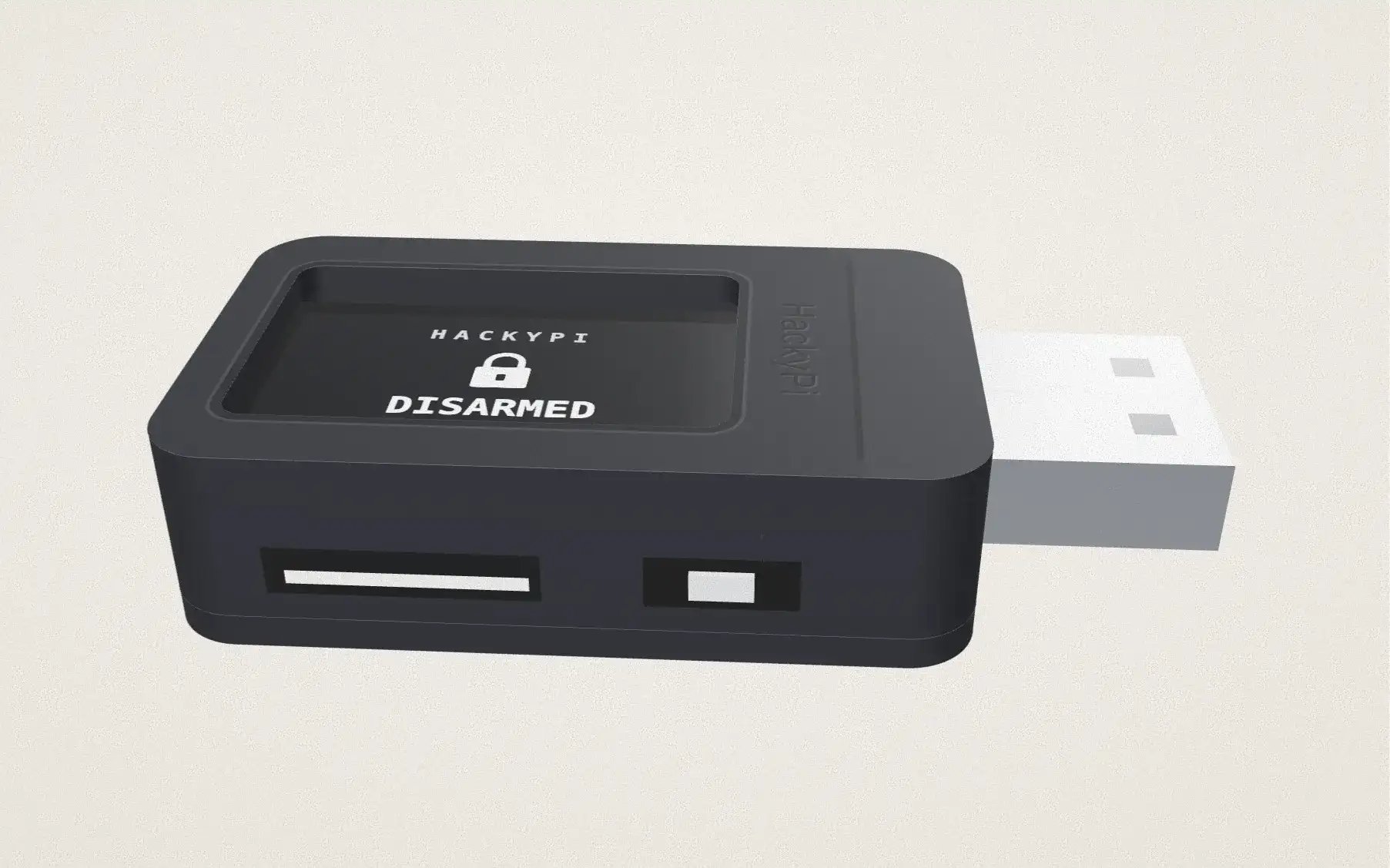
A 3D model of the HackyPi: a black two-part case with a USB-A plug at one end, a screen window on top showing DISARMED, status only, no keystrokes, and a microSD slot and BOOT button on one side. Scrolling takes it apart into the top shell, the blue board with its RP2040 chip, and the bottom lid.

scroll to take it apart

FIG. 02 · The device, modelled from photos. Scroll to take it apart, drag to turn it.
1,035
automated tests
24
states, only legal moves
12
threats in its threat model

02 · Story

The story.

  1. Why I built it

    Showing a risk without causing one.

    A penetration test sometimes has to prove that a plugged-in USB device is a way in. I wanted a device that proves it safely, and nothing else.

  2. The hard part

    From a demo to a platform.

    It began as a one-file demo. I rebuilt it in phases into firmware with a state machine, an approval gate and an evidence chain, and released it after testing on the real board.

Who stays in controlIt ships disarmed, fails closed on any bad setting, and every scoped step waits for the operator's yes.

03 · How it works

How it works.

  1. Set up per engagement

    Target OS, keyboard layout, engagement ID and policies go in a settings file, because a USB keyboard cannot detect the host on its own. Every value is checked at boot.

  2. Fail closed

    Any error in that file forces it to disarmed, where it only shows status and sends nothing.

  3. Look before touching

    Once armed it counts down three seconds on screen, identifies the host and runs read-only checks.

  4. Ask first

    Each scoped step waits for the operator's approval. A no, or no answer in time, drops it back to disarmed.

  5. Clean up and seal

    It releases every key, then seals the audit log on the microSD card with SHA-256 hashes.

04 · Features

What it does.

  • A strict state machine

    Twenty-four states with only legal moves between them, so it can never jump from idle to typing.

  • Permission with an end date

    Authorization expires, and is checked against the target's OS, host and subnet before anything runs.

  • Read-only by rule

    A safety check stops any step that would change the host.

  • Proof of silence

    It counts every keystroke it sends, and tests assert that the count stays at zero while disarmed.

  • Evidence you can check

    A JSON audit log on the microSD card, with a SHA-256 manifest that shows if anything was altered.

  • A bench self-test

    A test mode checks the screen, card, keyboard and memory before an engagement, then stops.

05 · Scenarios

Where it's used.

  1. A security awareness talk

    Showing the risk safely.

    Plugged in disarmed, it shows its status and sends zero keystrokes.

  2. A booked, scoped test

    Proving the access path.

    Armed for one target: a countdown, read-only checks, one approved step, then cleanup and sealed evidence.

  3. Proving it fails safe

    The wrong target.

    A wrong target, an expired authorization or an out-of-scope host is refused, with zero keystrokes sent.

Let's connect.

I am not looking for work. I am looking for good people to know.

Index

  1. 1Home
  2. 2Work
  3. 3Security
  4. 4About